

Step 1:
Locate the QR Code
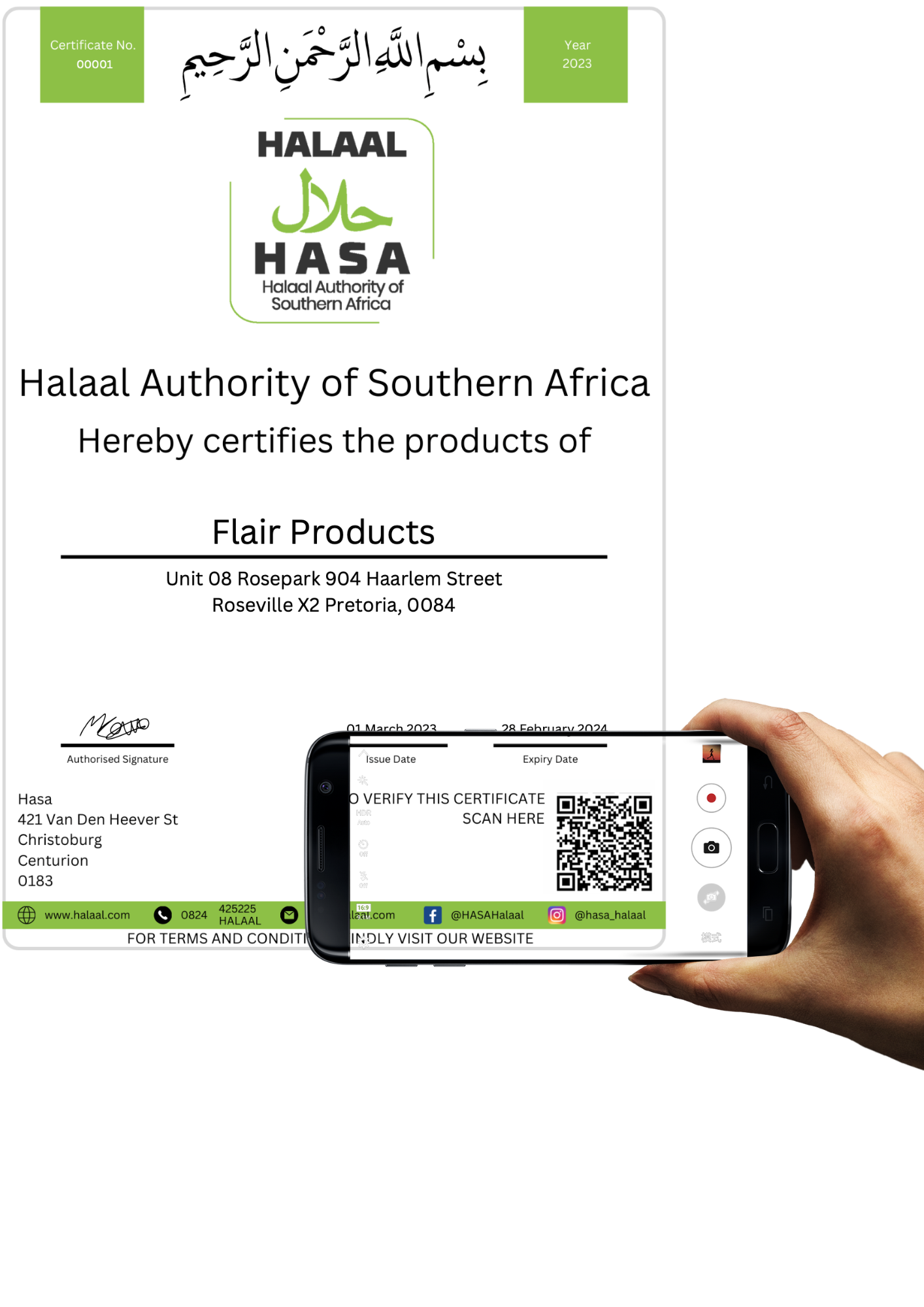
All HASA certificates are equipped with a verification QR code, usually present on the bottom-right of the certificate. Certificates without this code are not authentic and are not issued by HASA.
Step 2:
Scan the QR Code
All HASA certificates are equipped with a verification QR code, usually present on the bottom-right of the certificate. Certificates without this code are not authentic and are not issued by HASA.
Step 3:
Visit the link
Follow the link in the QR code and view the verification document. Please check the company name, certificate number and expiry date to ensure it matches the certificate presented.
If the QR code redirects you to any other website kindly inform us immediately.
Step 1:
Locate the QR Code
All HASA certificates are equipped with a verification QR code, usually present on the bottom-right of the certificate. Certificates without this code are not authentic and are not issued by HASA.

Step 2:
Scan the QR Code
All HASA certificates are equipped with a verification QR code, usually present on the bottom-right of the certificate. Certificates without this code are not authentic and are not issued by HASA.
Step 3:
Visit the link
Follow the link in the QR code and view the verification document. Please check the company name, certificate number and expiry date to ensure it matches the certificate presented.
If the QR code redirects you to any other website kindly inform us immediately.
